This chapter walks you through why and how to use open materials in psycholinguistics. We start with the goals and reasons for going open, then point to places where you can find ready-made tasks. From there, we show how to adapt tasks for different research needs.
There are also two step-by-step examples: one using PsyToolkit (which is completely free but needs some coding knowledge) and one with Gorilla.sc (which is partly free, partly discounted through university, but does not need coding knowledge). Depending on what you’re most interested in, you can read the whole chapter or jump straight to the parts that fit your project. We wrap up with a short afterword on open science and replication.
Chapter Goals
By the end of this chapter, you’ll be able to:
- Understand what open materials are and why they matter in psycholinguistics.
- Locate and adapt existing open psycholinguistic tasks.
- Build and share your own experiment using open tools.
- Take a look at two specific examples of Psycholinguistic platforms for hosting experiments.
Why Use Open Materials in Psycholinguistics?
Psycholinguistics is the study of how people understand and use language. To do this, researchers often use special tasks such as:
Lexical decision (deciding if something is a real word or not)
Priming (seeing how one word affects the response to another)
Self-paced reading (reading sentences one part at a time to track understanding)
These tasks are often reused in many studies - and that’s a good thing! Because they follow the same basic steps, they’re great for sharing, repeating, and adapting.
Why Open Materials Are Helpful
Open materials are tools and experiments that are shared freely online so anyone can use them. Here’s why that matters:
They’re easy to check and repeat
Other people can see how the experiment works, and even try it themselves to see if they get the same results.
They’re helpful for learning
Students or schools that don’t have a lot of money or resources can still run real experiments.
They make working together easier
When people use the same shared tools, they can work on projects together or change things slightly to test new ideas.
Why This Matters
Using open materials makes science:
More honest (because everyone can see how it was done)
More fair (because more people can take part)
More useful (because it’s easier to compare and build on past research)
Even if you’re new to psycholinguistics, open materials make it easier to learn, experiment, and be part of the science.
Where to Find Open Psycholinguistic Tasks
| Cognition.run |
Lightweight hosting for jsPsych and Lab.js experiments |
yes |
medium |
yes |
yes |
| Gorilla |
Drag-and-drop online experiments, good UX |
limited free tier |
low-medium |
yes |
some |
| Inquisit Web |
Commercial tool for cognitive experiments |
no |
low-medium |
yes |
no |
| IRIS |
Repository for linguistic tasks, questionnaires, protocols |
yes |
none (browse/download) |
no |
yes |
| JATOS |
Host online experiments locally or on your server |
yes |
medium |
yes (self-host) |
yes |
| jyPsych |
JavaScript library for customizable experiments |
yes |
high (Java) |
yes |
yes |
| Lab.js |
Build browser-based tasks with visual editor |
yes |
medium |
yes |
yes |
| OpenSesame |
GUI-based builder for lab studies, supports Python scripting |
yes |
medium |
No (desktop only) |
yes |
| OSF |
Share materials, preregister studies, archive data/code |
yes |
none |
no |
yes |
| PcIbex Farm |
Run psycholinguistic experiments (SPR, forced-choice, etc.) |
yes |
medium-high |
yes |
yes |
| PEBL |
Battery of classic neuropsych tests |
yes |
low |
no (desktop) |
yes |
| Psychopy |
Powerful for behavioral + EEG studies |
yes |
medium |
yes |
some |
| PsyToolkit |
Pre-built cognitive tasks (Stroop, Flanker, etc.); easy online hosting |
yes |
low-medium |
yes |
yes |
| Testable |
user-friendly experiment builder with online hosting |
no (trial free) |
low |
yes |
no |
Adapting a Task for L2 Research
Now we want to conduct a small study for our research and for this we want to modify an experiment. We don’t need to start from scratch. Begin with existing materials and tweak them for your goals. We start with a topic, thesis or research question, for this example:
Metonymy in Self-Paced Reading
Example research question: Do L2 learners experience slower reading times for metonymic expressions?
Thus, we might choose a self-paced reading task to look at reading time differences between metonymic and literal sentences. For this, we want to use a phrase-by-phrase presentation to preserve figurative meaning:
Metonymy examples:
- The press / criticized the decision / sharply.
- The bench / voted against the proposal / yesterday.
Control examples:
Detailed Guide: modifying a self-paced-reading task on Psytoolkit
Now let us try adapting an experiment step by step.
First, create a free account on psytoolkit. Once you created your account, you can start creating your own surveys and experiments or use the ones made by other users or psytoolkit from their library. There is a large variety of experiments and surveys available. For this example, the researcher question is: Do L2 English learners process sentences with metonymic expressions more slowly than literal sentences? For this we now want to create a self-paced reading experiment, in which L2 learners can then participate in.
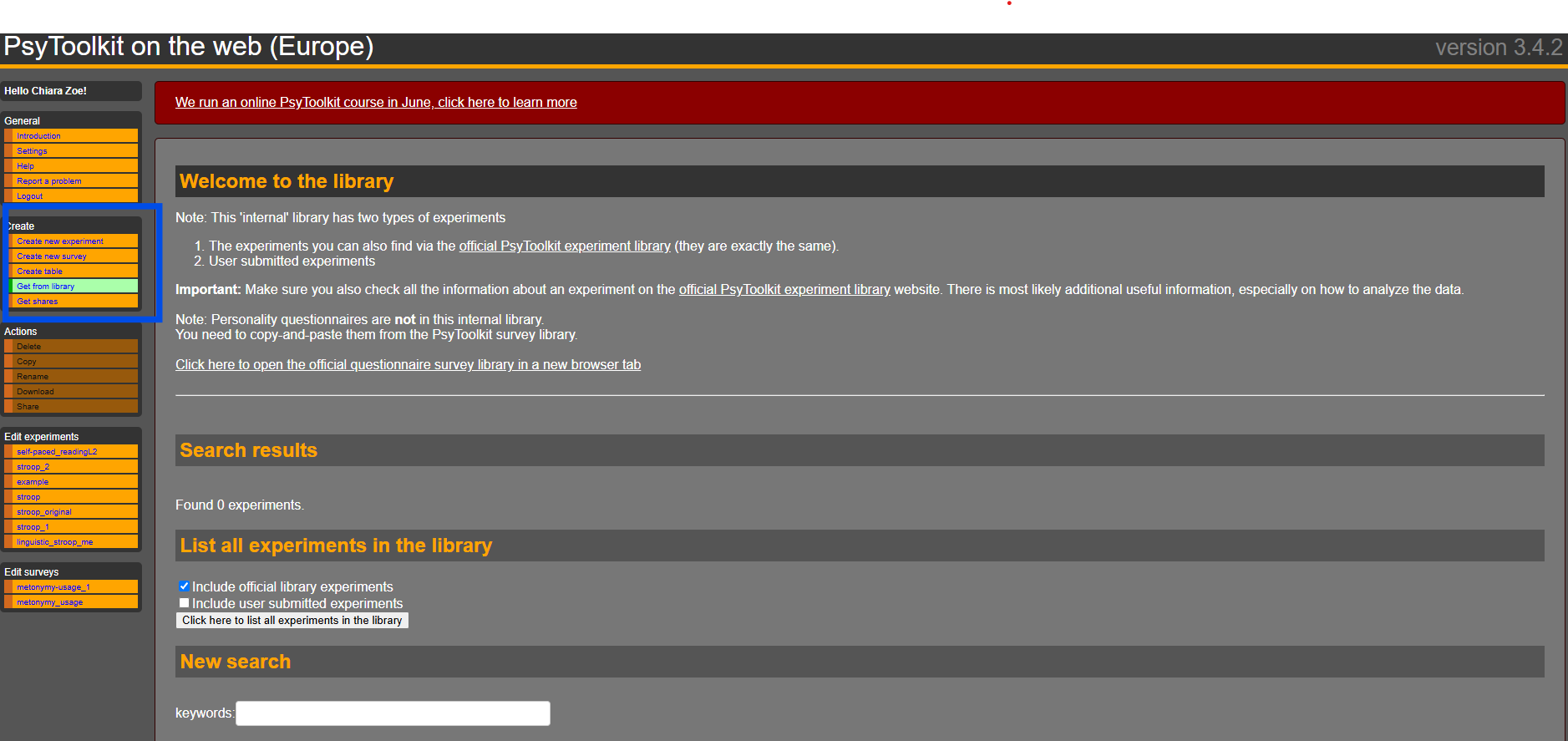
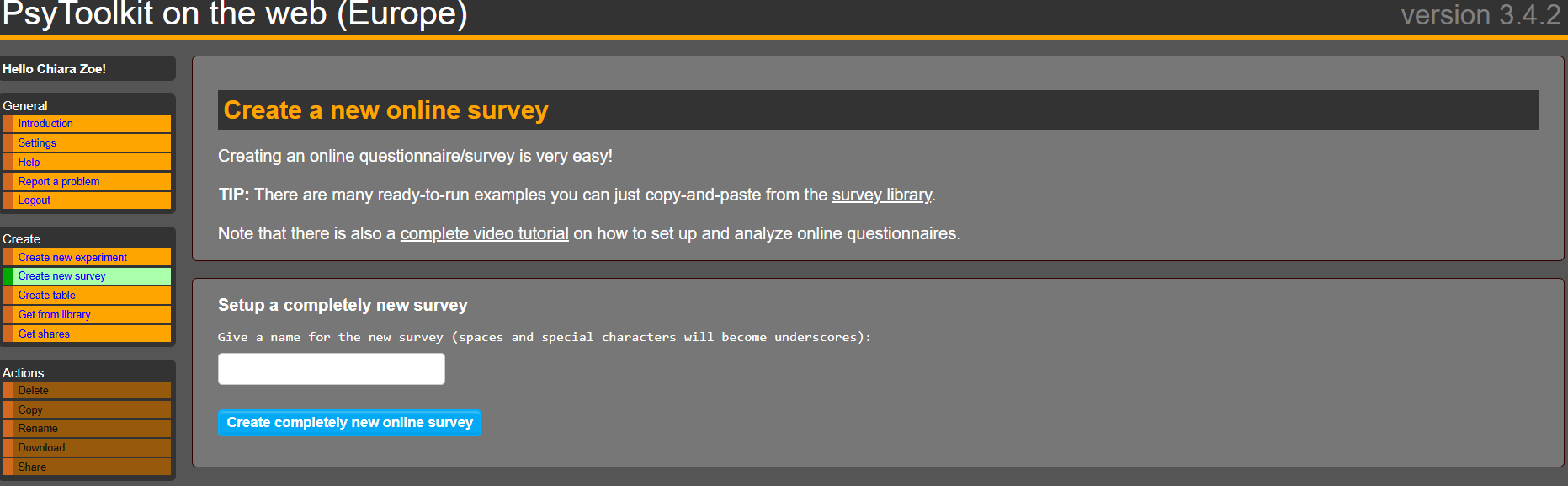
For this we can click on “Create” and then “Get from library” (see blue box in the picture):
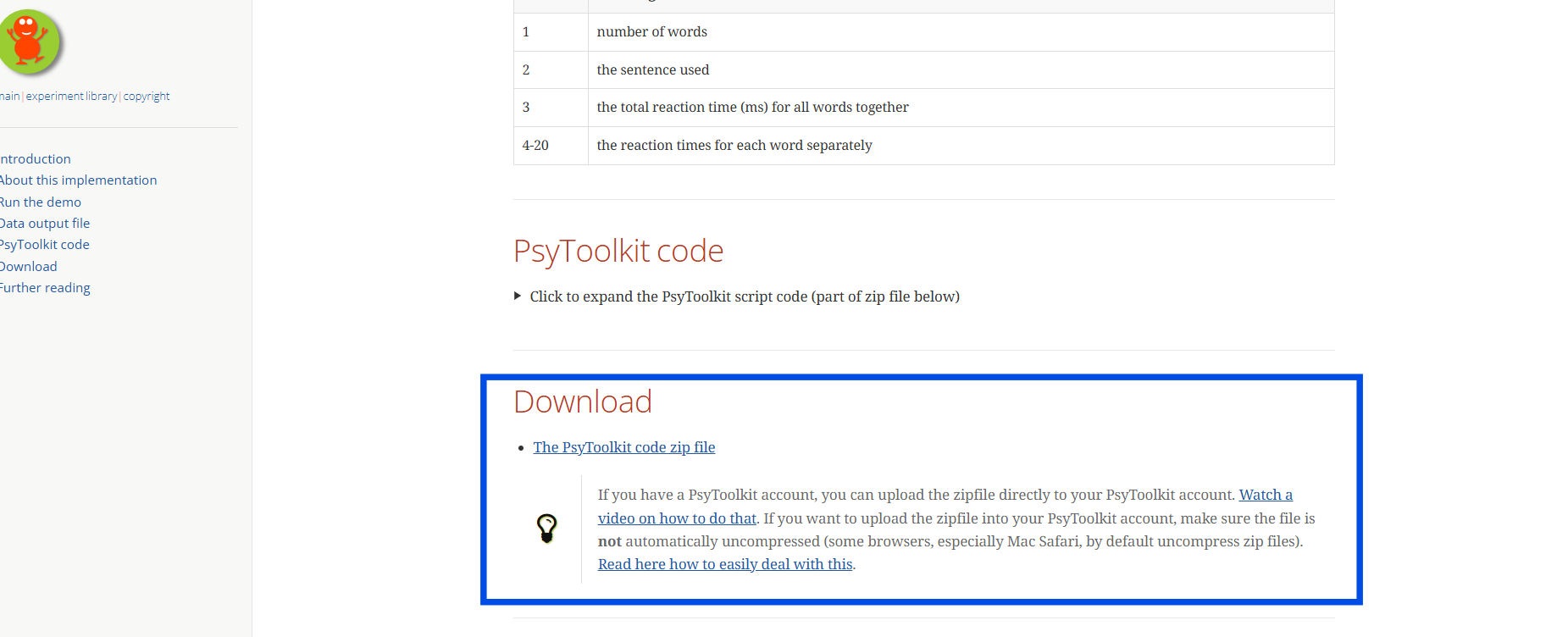
You can either search for the experiment you are looking for or (recommended) click the link to the official experiment library in the first bullet point (as seen in the picture above). This overview is a little more user-friendly. You will see the variety of tests you can use as they are or adapt them. For our example, we will use the experiment “self-paced reading (incremental). Once clicked on the experiment, you will see more information about it, a demo, how the data is output and you can find the PsyToolkit code as well as a zip file, which has everything you need. It is easiest to download the zip file:
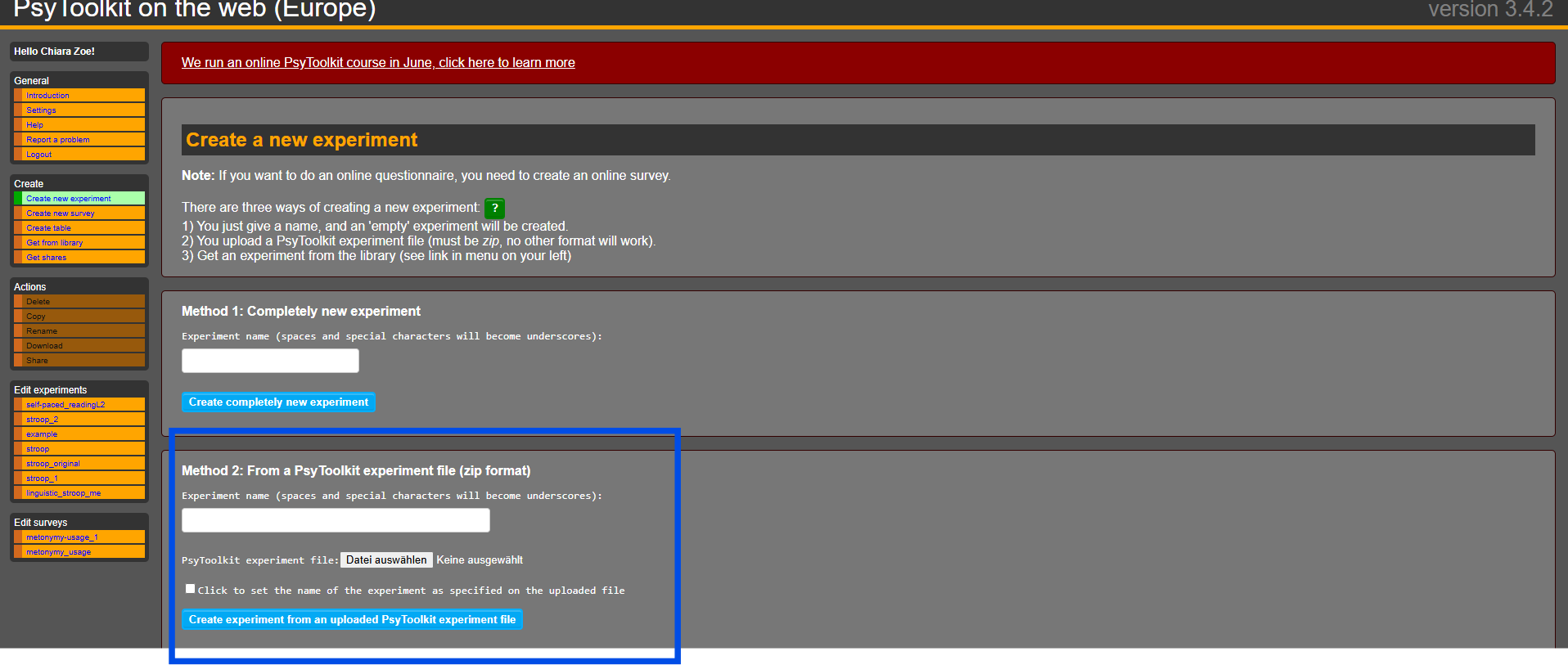
Once downloaded, you can go back to your psytoolkit page, in which you are logged in and then you can click on “Create new experiment”. You can now choose method 2 and upload the zip file as it is. You can also name your experiment.
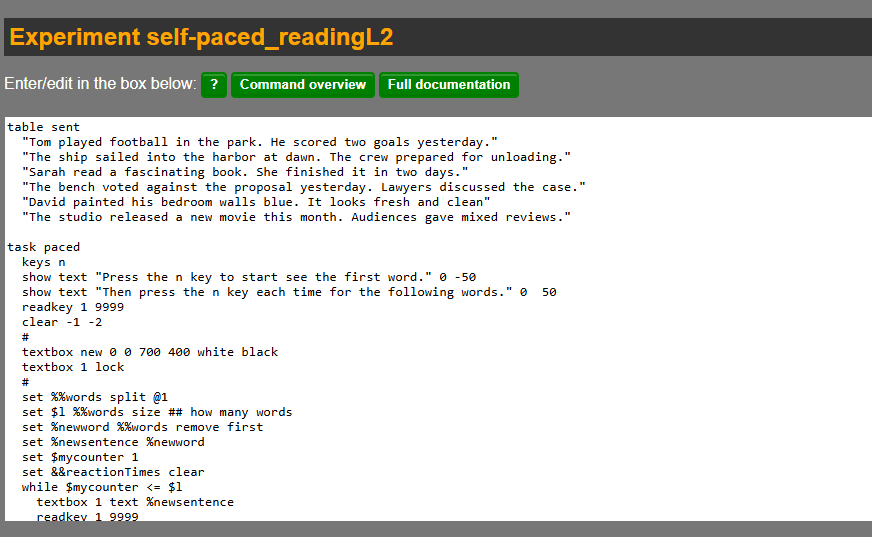
Now you can see the code and modify it:
For this purpose we want to change the sentences and include metonymic and non-metonymic control sentences. Put your sentences in quotation marks. Once you modified everything, click on “Compile”. Once it is compiled and has no errors, which should not occur, if you simply changed the sentences, we can run the experiment! Note that “warnings” may occur, which are not necessarily problems.
Here is the code to view:
Code
table sent "The bench voted against the proposal yesterday. Lawyers discussed the case." \
# metonymy "The press criticized the decision sharply. The public reacted with surprise." \
# metonymy "The studio released a new movie this month. Audiences gave mixed reviews." \
# metonymy "The crown approved the law without changes. Parliament members were surprised." \
# metonymy "The White House denied the rumors today. Reporters asked for clarification." \
# metonymy "The school called the parents for a meeting. They discussed behavior issues." \
# metonymy "The hospital refused to comment on the case. Nurses remained silent." \
# metonymy "The university welcomed the new rules. Students protested later." \
# metonymy "The kitchen prepared the meal quickly. Everyone praised the flavors." \
# metonymy "The orchestra began the performance with energy. The crowd applauded loudly." \
# metonymy "Tom played football in the park. He scored two goals yesterday." \
# literal "Sarah read a fascinating book. She finished it in two days." \
# literal "David painted his bedroom walls blue. It looks fresh and clean." \
# literal "Emma baked a cake for the party. Her friends loved it." \
# literal "The dog barked loudly at night. The neighbors complained in the morning." \
# literal "Liam wrote a letter to his grandmother. She smiled when she read it." \
# literal "Olivia drove to the store in the afternoon. She bought vegetables and fruit." \
# literal "The child built a tower with blocks. It fell down quickly." \
# literal "Noah cleaned the kitchen carefully. It looked spotless afterward." \
# literal "Mia called her friend after school. They talked for an hour."

task paced keys n show text "Press the n key to start see the first word." 0 -50
show text "Then press the n key each time for the following words." 0 50 readkey 1 9999 clear -1 -2 \
# textbox new 0 0 700 400 white black textbox 1 lock \# set %%words split @1 set \$l %%words size \
## how many words set %newword %%words remove first set %newsentence %newword set \$mycounter 1 set &&reactionTimes clear while \$mycounter \<= \$l textbox 1 text %newsentence readkey 1 9999 clear -1 set &&reactionTimes append RT set %newword %%words remove first set %newsentence %newsentence " " %newword set \$mycounter increase while-end textbox 1 clear \## removes textbox show text "Well done...just wait until next sentence" delay 500 show text ". " 0 30 delay 500 show text ".. " 0 30 delay 500 show text "..." 0 30 delay 500 clear screen set %sentence @1 set &&reactionTimes fillup 20 -1 save \$l %sentence &&reactionTimes

block test tasklist paced 5 end \`\`\`
Congratulations, now we have our experiment! In order to put this online and send a link to participants, we now have to create an online-survey and embed the experiment in it. For this, you click on “Create” and then “Create new survey”.
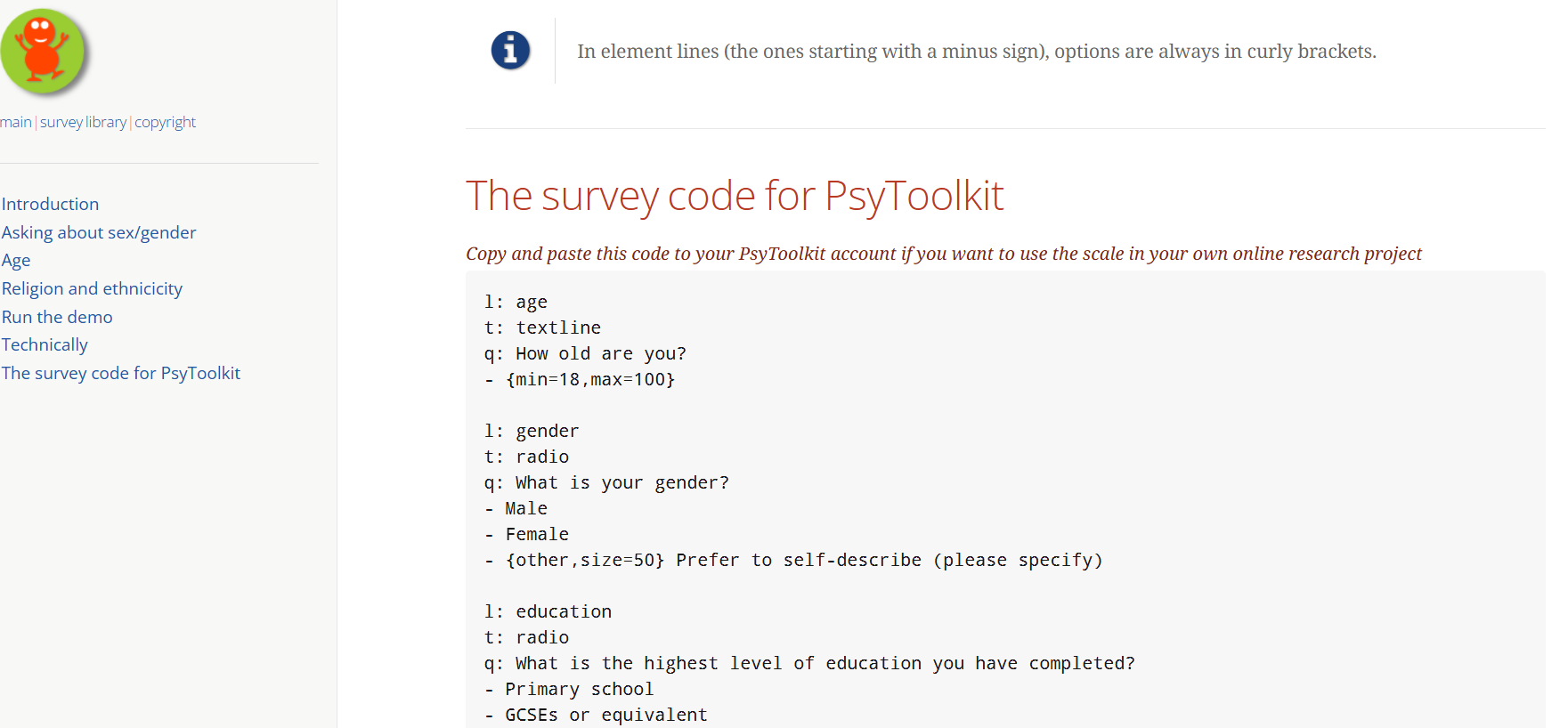
Again, there is the option to change an already existing survey or to create a completely new one. For this example we can use a simple demographic questions survey which you can find in the survey library.
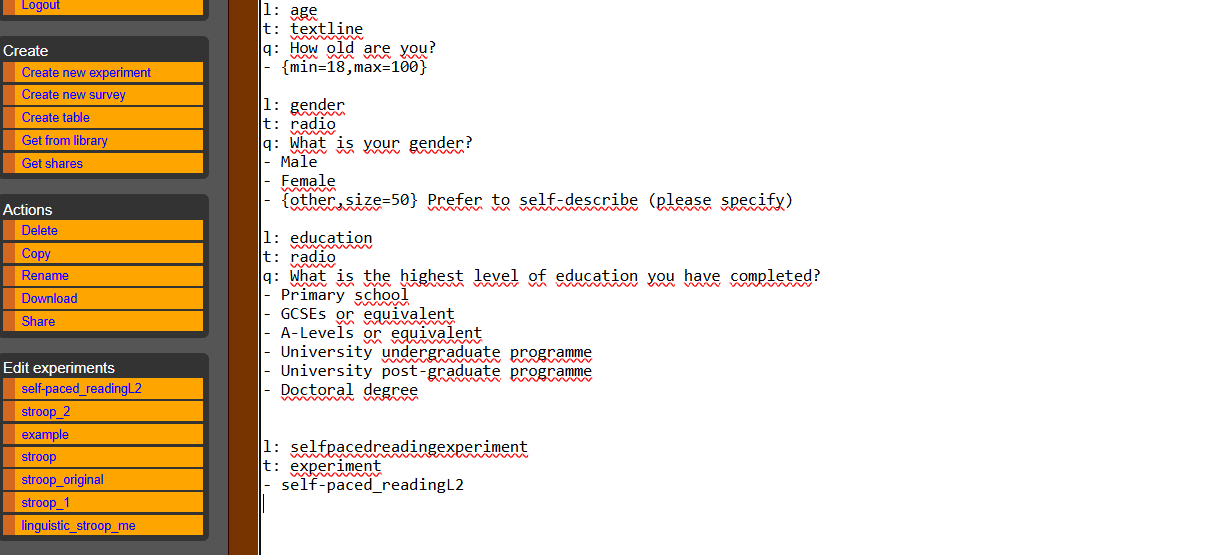
Once you copied and pasted the code and adapted the questions to your liking, you simply need to embed your experiment in the survey to make it available and open:
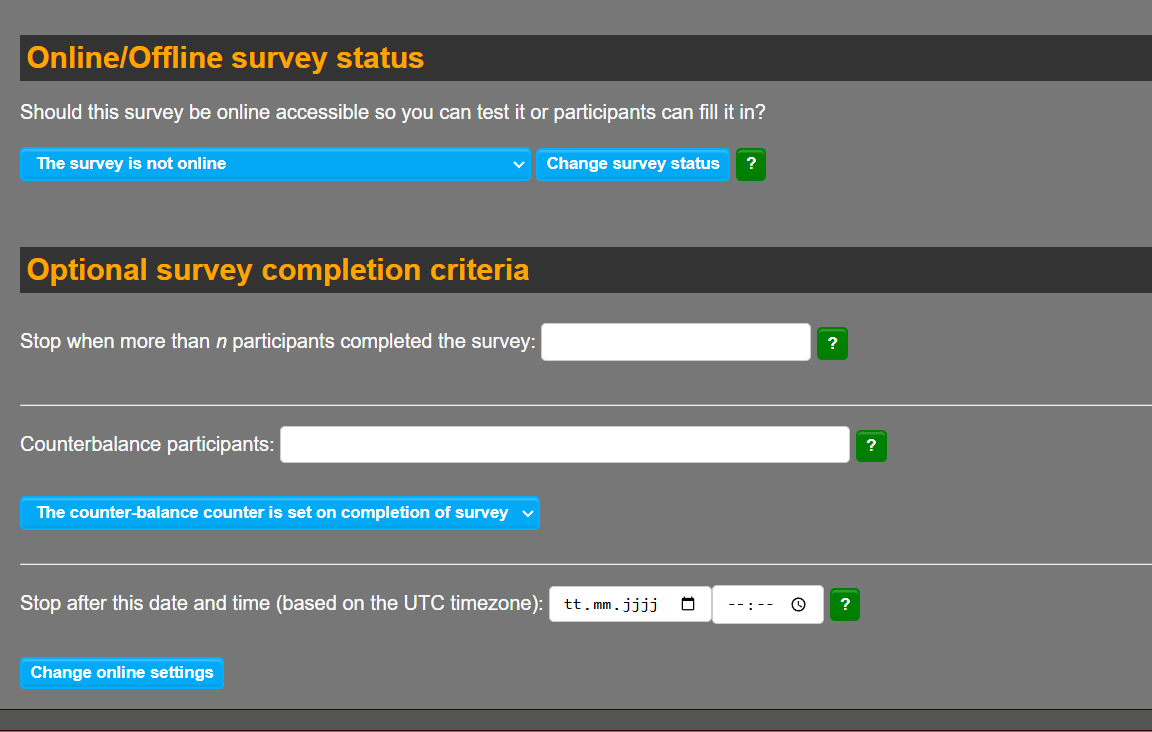
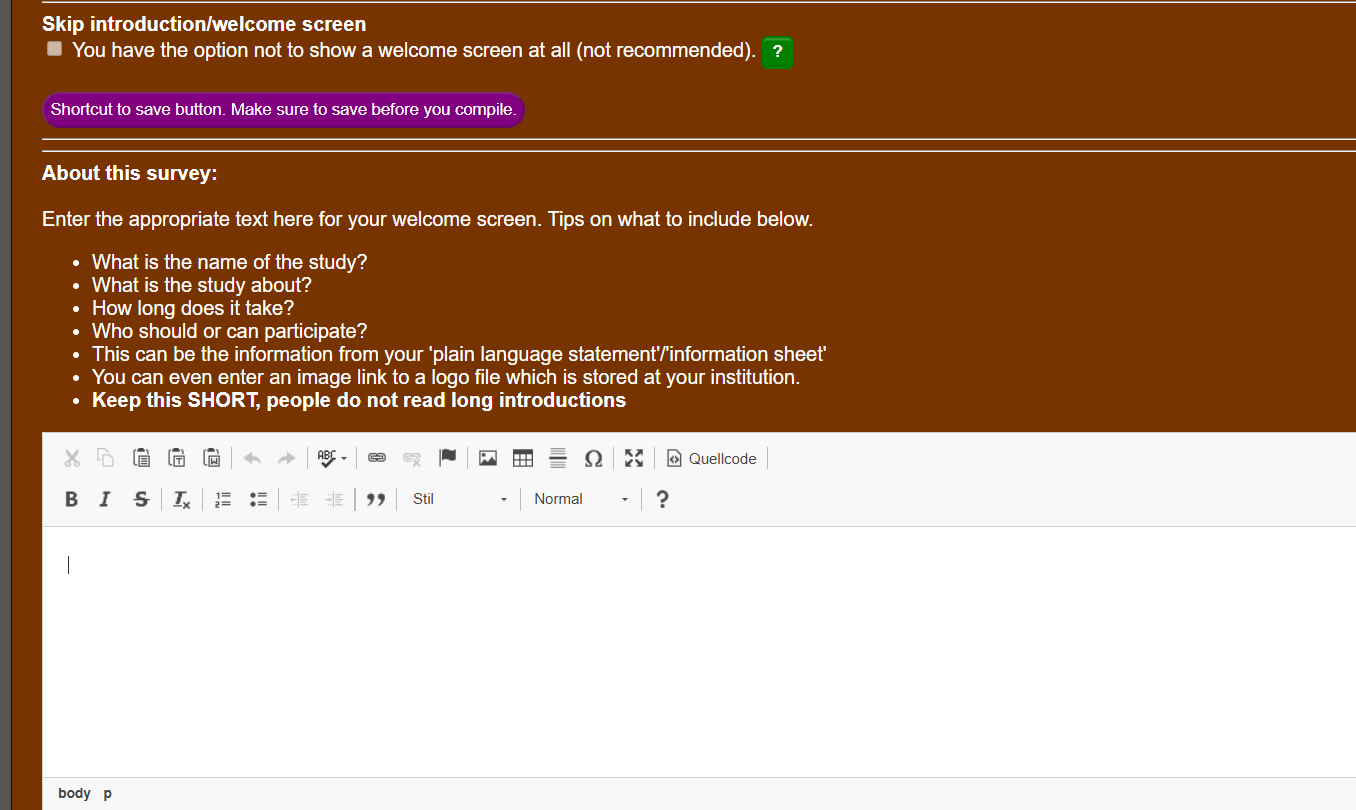
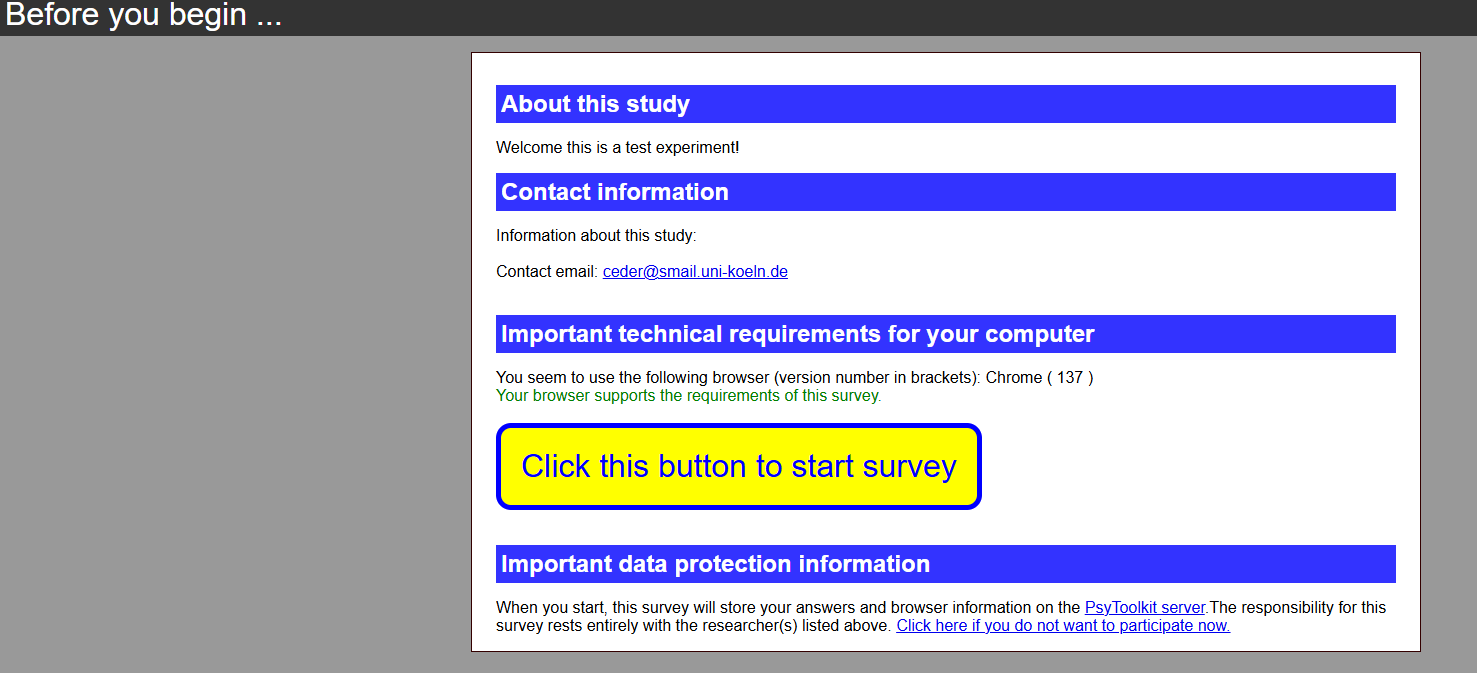
You can now compile the survey by clicking the “Compile” button, just as you did with the experiment. If there are no errors, your survey is now ready to be tested. You can also further adapt the settings and options of the survey, to set it to “online”, to state a number of participants, to create a welcome text and so on:
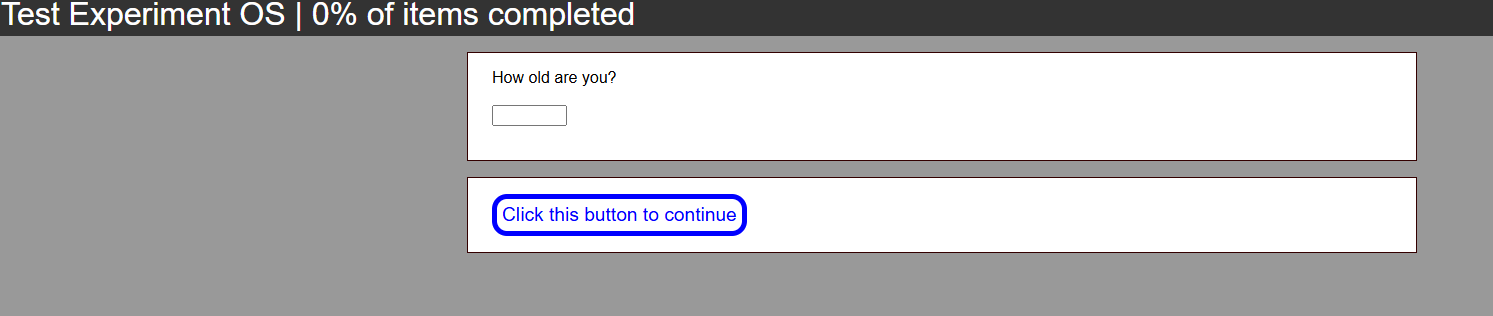
To test the survey, you can click on “Run.” This allows you to preview the entire flow of the survey and check that your experiment runs smoothly. Once you are satisfied, you can retrieve the link that participants will use to access the study. This link will be displayed in the survey overview page, under the section “You can give this link to your participants.” Copy this link and share it with your participants via e-mail, message etc.
Participants do not need a PsyToolkit account to access the experiment. They simply click the link and complete the study in their browser:
All data will be collected and stored in your PsyToolkit account under the survey’s data section. There you can download the collected responses as a .csv file, which can be opened with LibreOffice Calc or similar spreadsheet software for analysis.
If you wish, you can also view summary statistics and simple plots directly within PsyToolkit. These visual summaries can help you identify trends or issues before downloading the data for more in-depth analysis. Once your data is collected, you are ready to interpret the results and report your findings.
This entire process allows you to quickly and openly share psycholinguistic experiments with participants, and to collect data using free, open-source tools, making it ideal for students and researchers interested in accessible and easily reproducible research.
Build an Open Experiment: Step-by-Step with Gorilla.sc
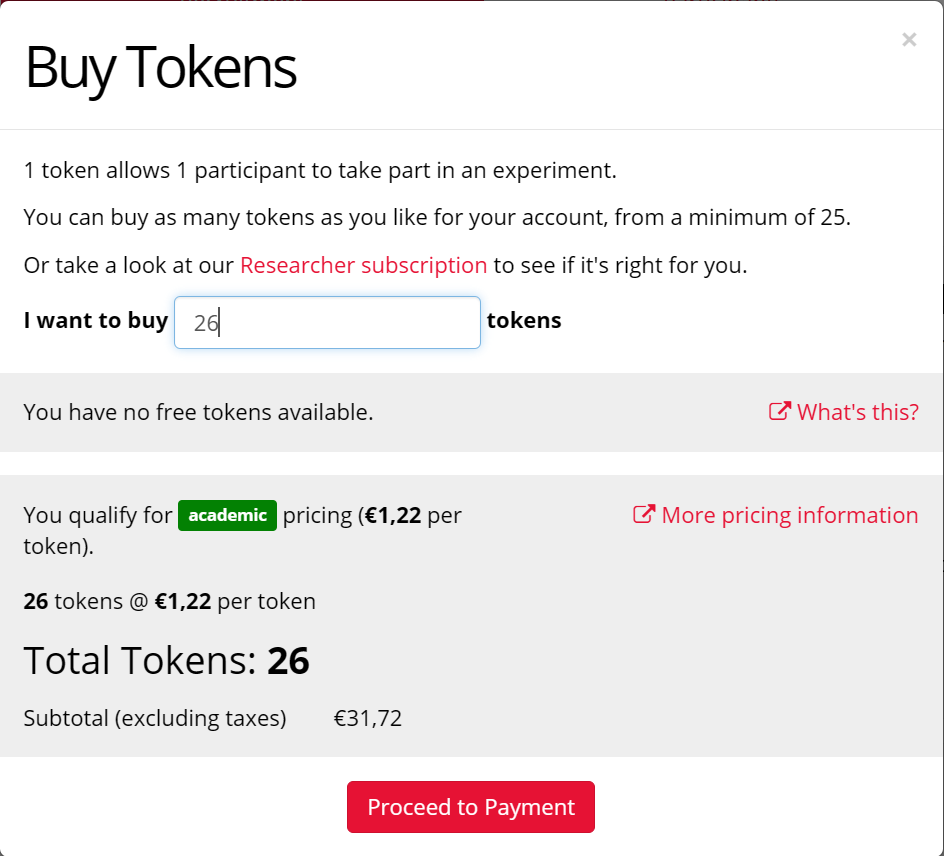
Gorilla.sc allows the extensive designing of experiments and surveys on their platform for free, but operates via tokens – purchased per participant – that allow users to participate in the survey when hosting it online through the platform. There is, however, a discount if you are affiliated with an academic institution.
Gorilla.sc is another platform that offers on-platform tools useful to the end of building individualized experiments to the end of testing on specific linguistics-based research questions.
Furthermore, Gorilla.sc offers their own – once the user has made a free account – extensive repository of Open Access studies on different research topics in the industry. These can be cloned and built upon to the user’s specific preferences similarly to PsyToolkit, tailored for experimental and hosting purposes for the sake of the accessibility of open materials and OA. Gorilla.sc offers further retrofitting options when creating a new task in the experiment builder, with a myriad of examples that can be used to build one’s own with ease. This is all done through an interactive process within the web browser, itself.
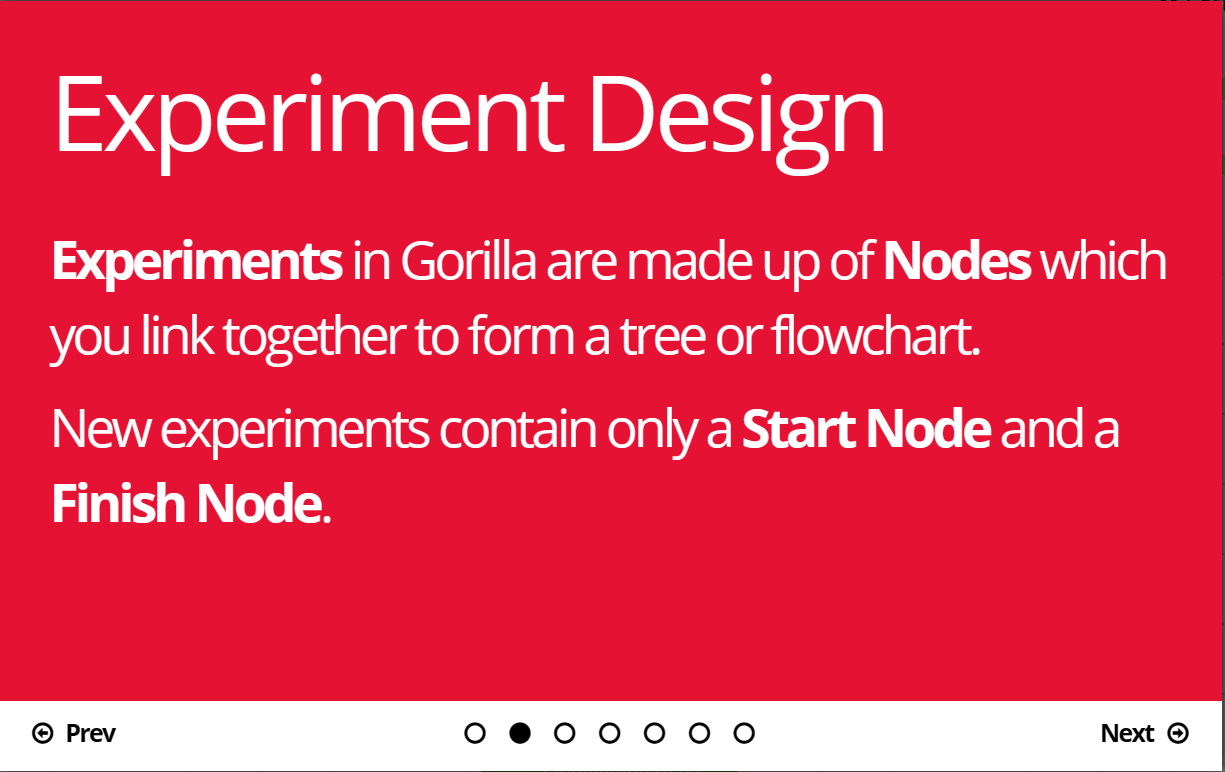
The cloning and retrofitting of an Open Access experiment is done in instructed steps that the user may scan through upon first cloning the experiment.
Nodes, as well as other steps required when building an experiment from scratch, are preemptively set-up when cloning an existing experiment through the task builder or the study database – as we will do in this guide.
Steps to Retroactively Clone an Experiment on Gorilla.sc:
- Navigate to https://gorilla.sc and create your own free account.
- In the Gorilla.sc online web browser app, navigate to Create new project or Open Science ( if you wish to clone an existing scientific study.
- Click on + Create New Project.
- Navigate to either the Experiments or Tasks & Questionnaires fields and click Create New.
- Select Experiment Builder or Task builder and then select Clone Existing.
- Choose your whole experiment or task to clone.
Adapting a Task for Working Memory Research
Gorilla.sc has a plethora of options for various tasks, but for this example we’ve elected to clone an existing Lexical Decision Task. In this test, the experiment participant must quickly decide whether the lettered string that appears is a word or not. Though fundamentally simple, the test can be used as a strong baseline for measuring higher level lexical ability. If we were to introduce categories, we could test the biases of the participants by priming for words that may ‘stereotypically’ belong to the category.
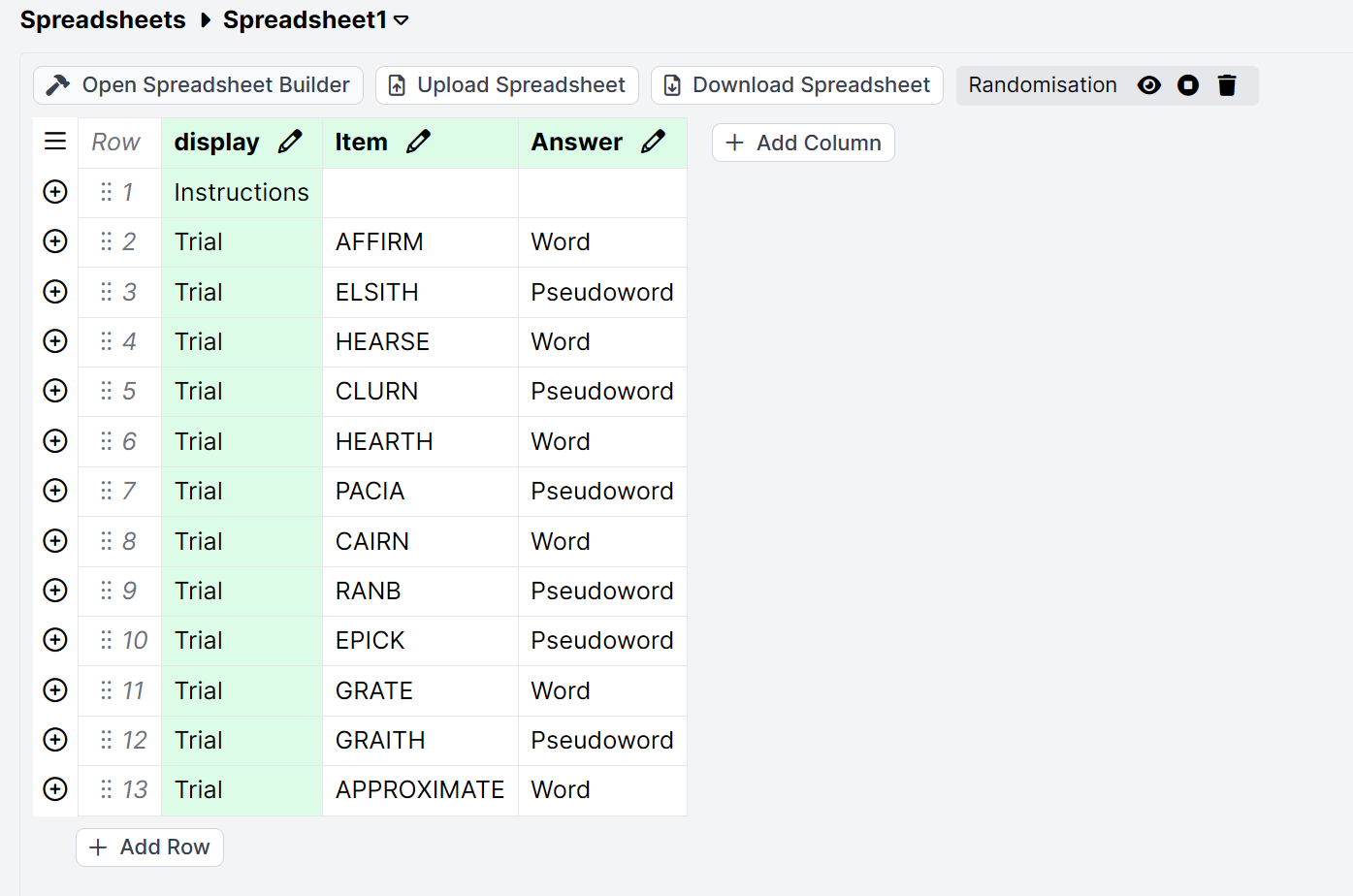
Let’s build our own lexicon for the test. For this example, we want to use semantically similar words and a higher level of complicated English words for our diction:
To make our lives easier, we can use the same format as the original test’s spreadsheet provides. Even more appealing with this tool is the ability to edit the spreadsheet directly inside the web browser to input our own data. Here, for example, is what we may use for this trial if we wish test for lexical access in L2 contexts, perhaps:
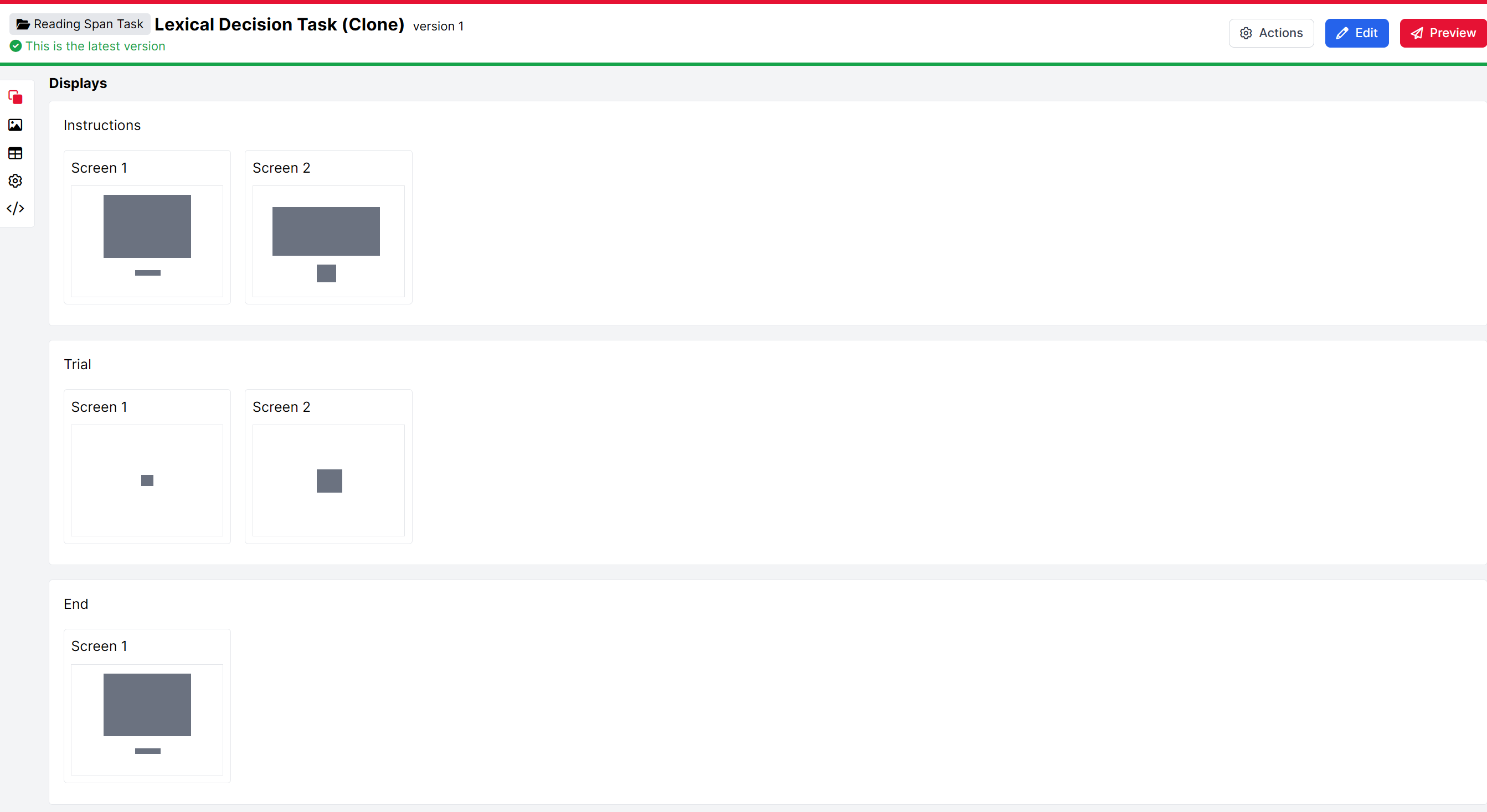
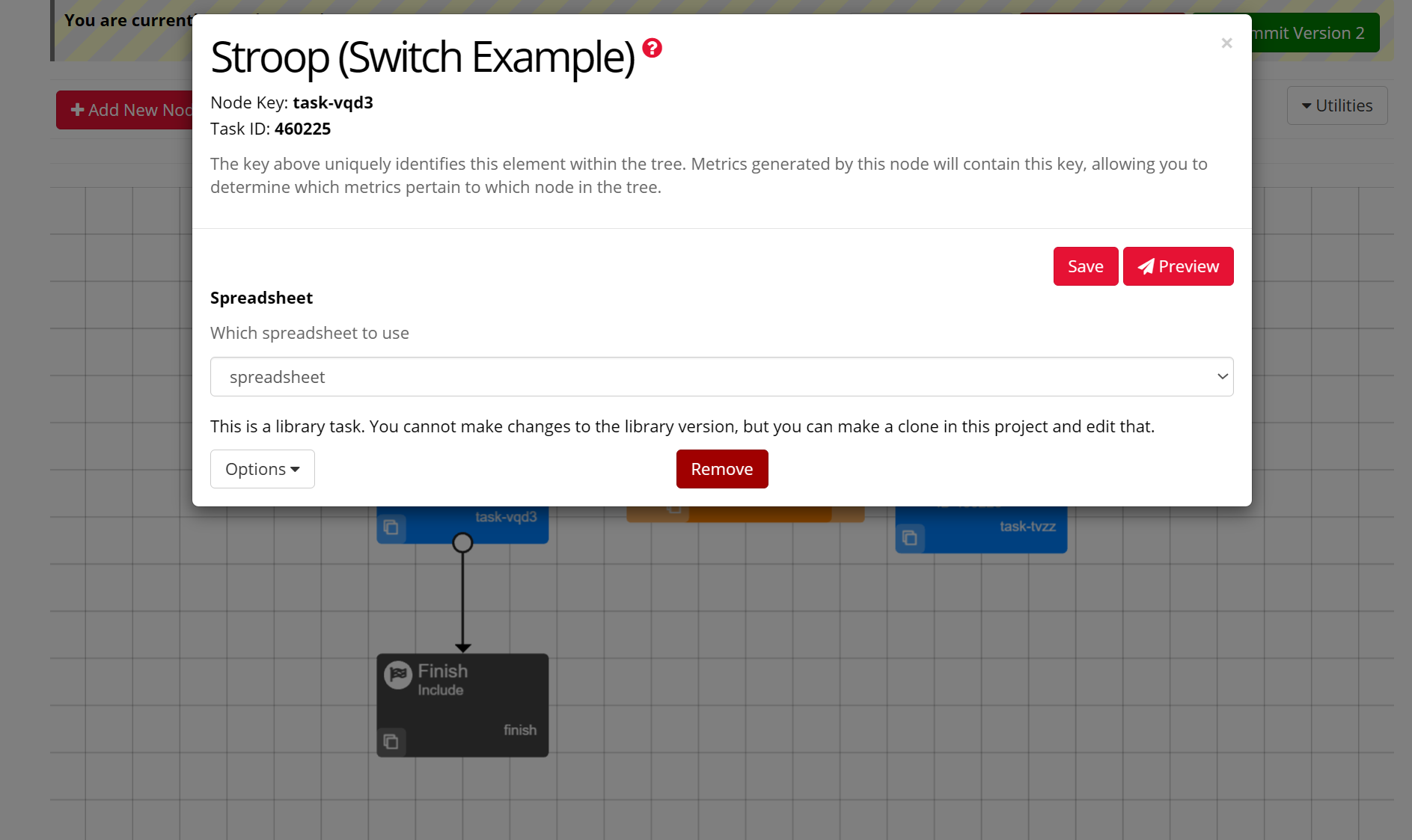
But first, let’s take a look at our cloned task and see what we may tailor to our exact wishes:
Steps to Customize and Tailor our task:
Select the blue edit button.
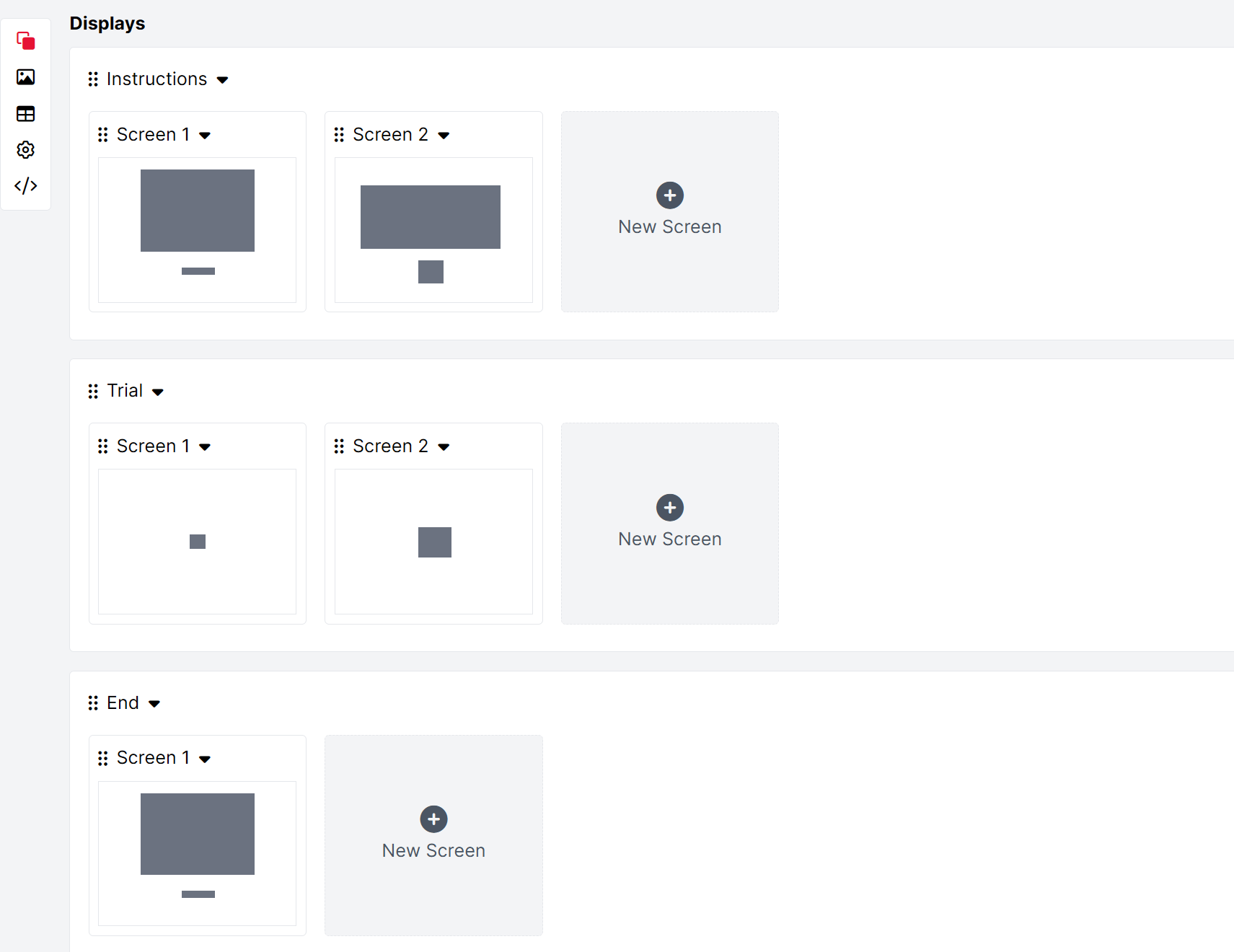
Select screen one and two to tailor extra instructions or tweak the pre-built text to your liking.
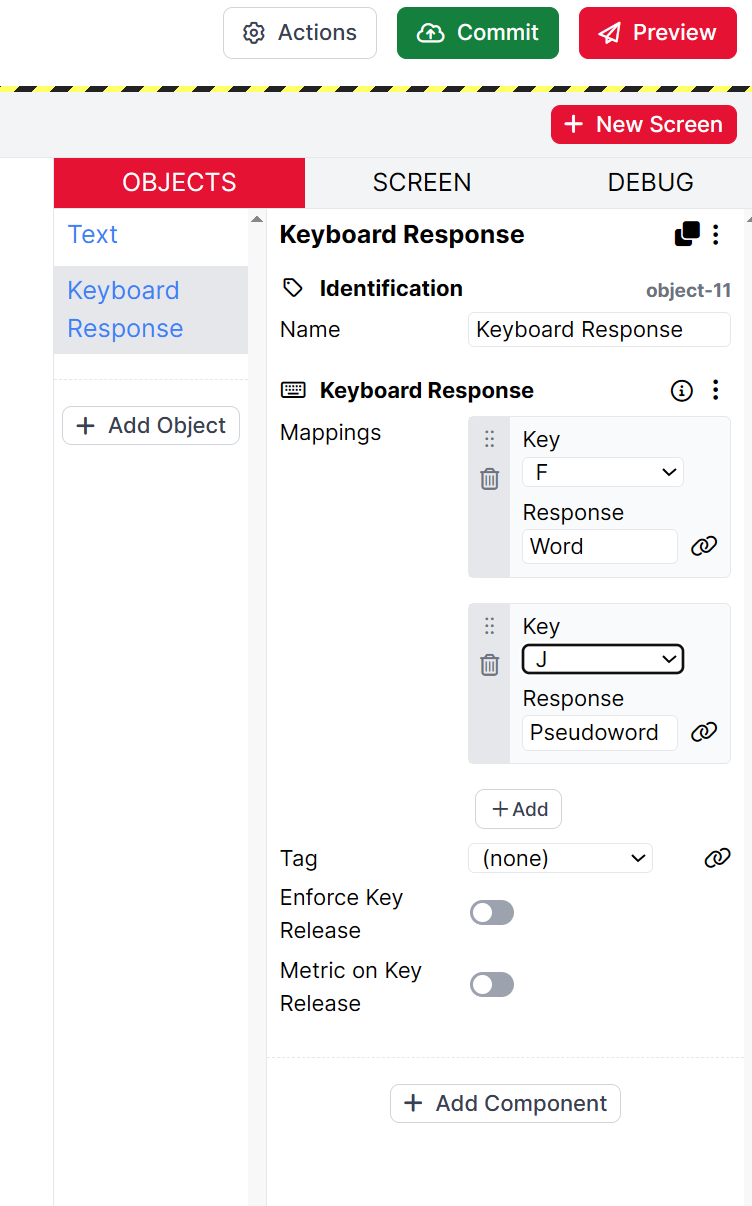
Select screen two of the trial pane to make adjustments to input or text data. We elected to swap the keybindings of the ‘Word’ and ‘Pseudoword’ commands to lessen the cognitive load:
Navigate to the spreadsheets menu on the left-side taskbar and make any manual adjustments to the spreadsheet or even upload your own data.
Commit your changes to the spreadsheet with the green ‘Commit’ button. 
Preview and test your task.
Now that our task is completed, we need an experiment format. Luckily for us, there are plenty of options to chose from when repeating the ‘Choose existing’ option from the My Project dashboard’s experiment cloning tool. We’ve elected to clone a Stroop Experiment, but we are only going to use the Start and Finish nodes to round out our experiment. Thus, we need to remove the existing task nodes:
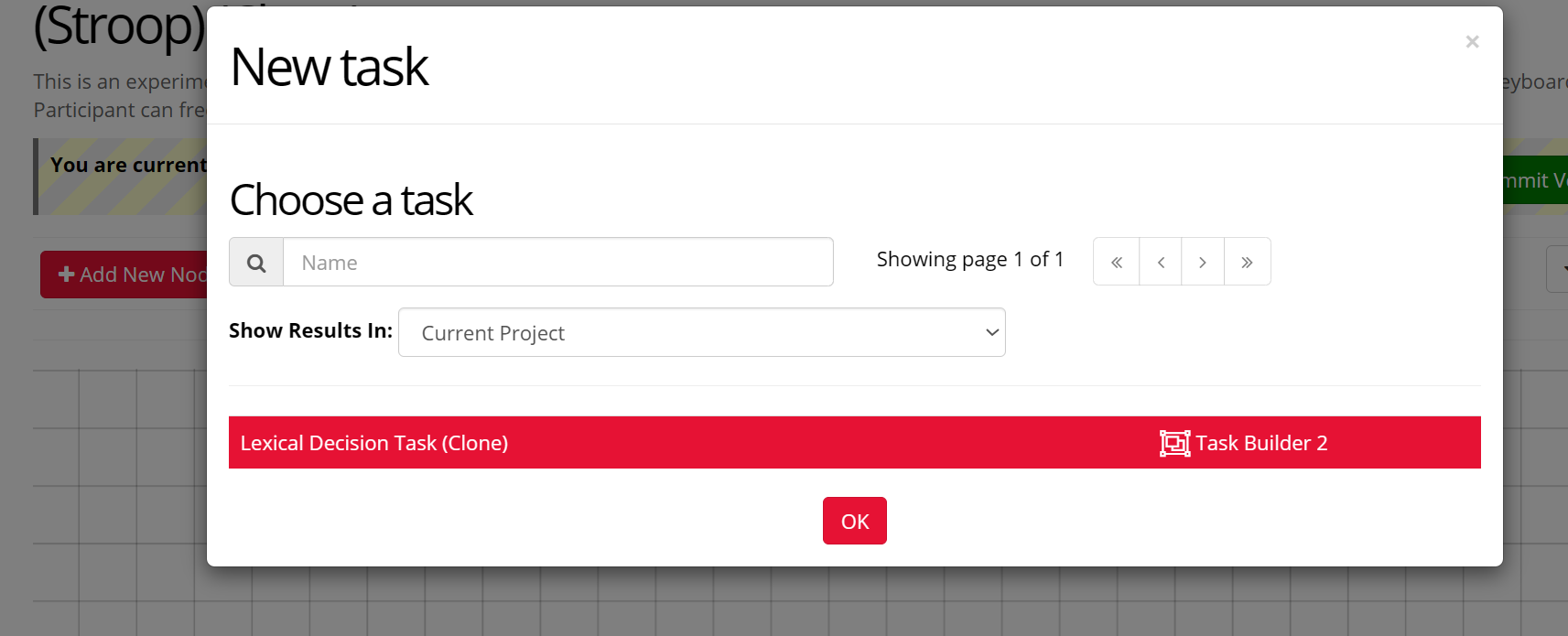
Now, let’s add a new node ( or select the add task button directly next to it on the main task bar in the editor ) and import our designed Lexical Decision Task:
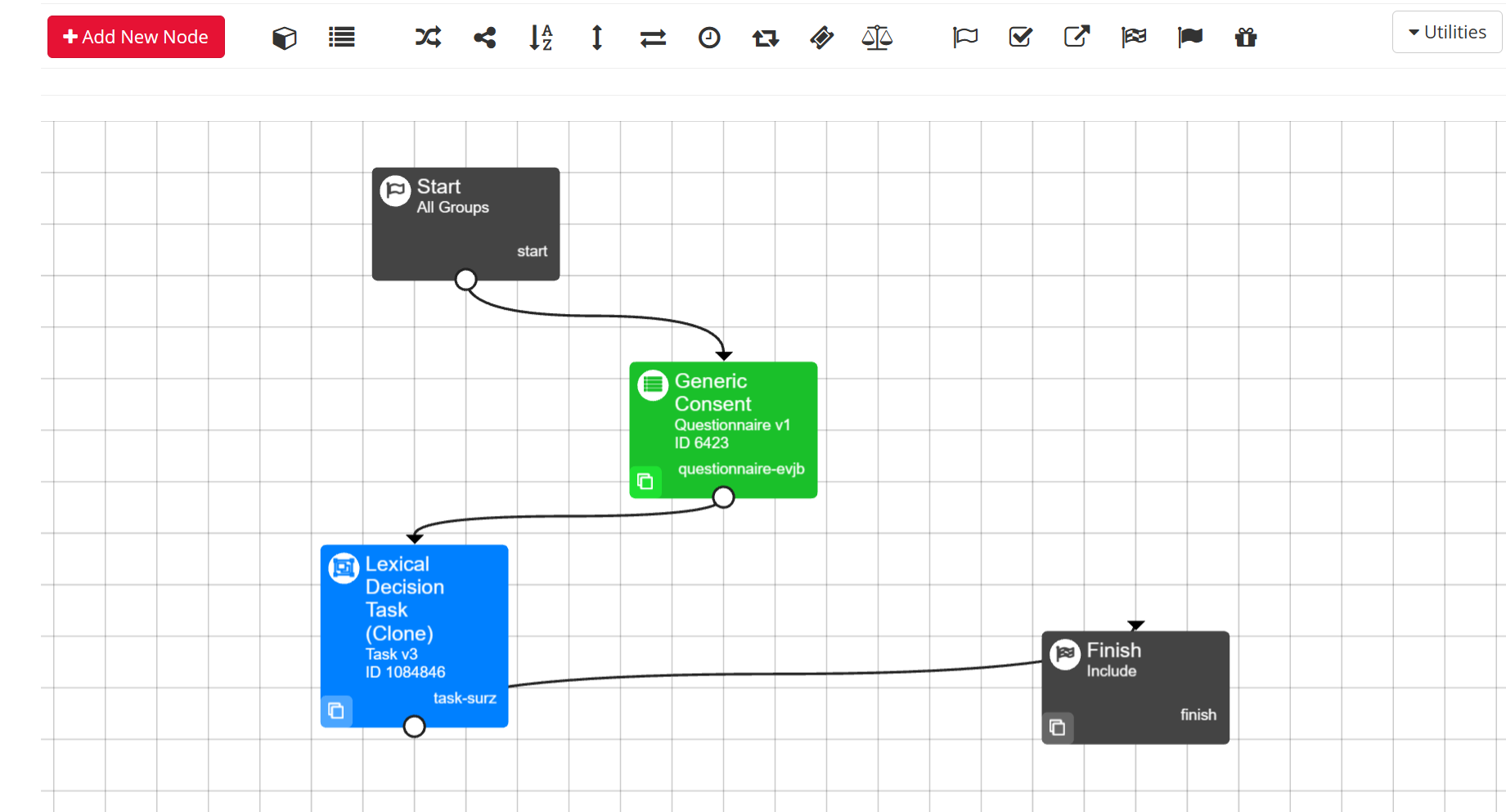
Here we can see our ( tentatively ) finalized layout. We have added a generic questionnaire, of which we can also tailor to our ethics and introductory needs, and routed the path of the experiment by dragging and dropping the anchors from each section to the next:
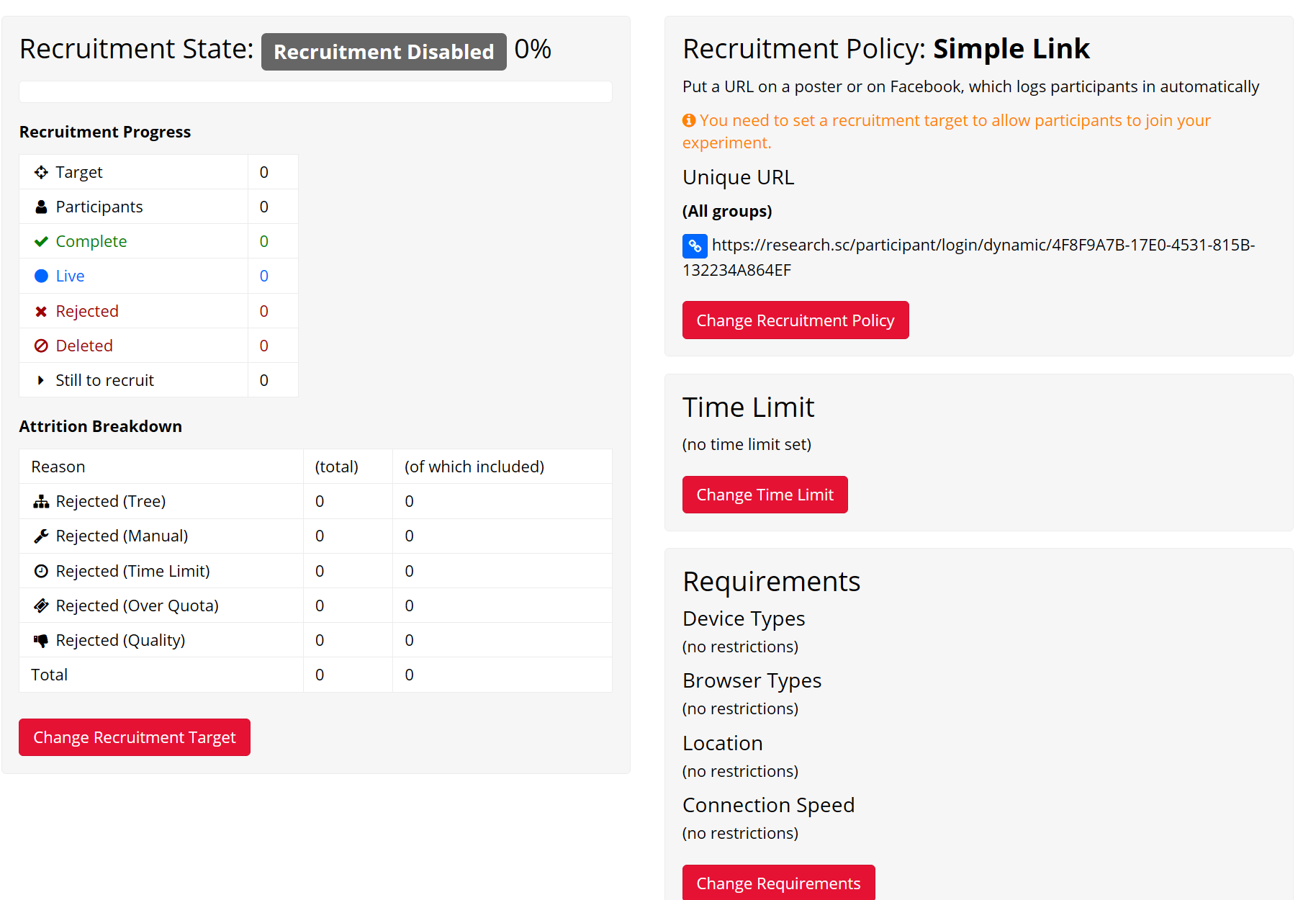
To send our experiment out for the collection of data from possible participants, we will navigate to the recruitment pane. Here, we have to select our Recruitment Policy to proceed with our desire to host our survey:
This is where we reach a snag in our efforts. If we navigate to Change Recruitment Target, we’re met with the next pane:
As we can see, we are required to pay for the premium access to have participants take part in the experiment. As we qualify for academic pricing in accordance with our registration through our university e-mail addresses, this pricing is somewhat attractive when considering the ease-of-access and simplicity in setting up our experiment through Gorilla.sc’s user-intuitive toolset. This cost would certainly increase if we were wishing to include more and more participants. However, were we to elect to front that cost and select Gorilla.sc as our platform of choice, and once we had successfully ( and through one of Gorilla’s various avenues of recruitment, i.e. a public link ) sent out and collected the data from successful participation, we would be able to easily access and download our results through the Participants page, which retains the user-friendly nature of the whole site.
How to cite Gorilla.sc
When using/reporting from Gorilla.sc you must cite it. On their Publishing and Open Science page, Gorilla.sc states the following for citation:
In an ethics application, article or pre-print
Citing Gorilla is the easiest way to demonstrate that you have used a validated online research platform. If accurate stimulus or response timing is important for your results, you may also like to cite our timing accuracy paper.
To cite Gorilla in an article or pre-print, please link to the main website. We also recommend stating the date window within which data was collected, so that someone reading the study could cross-reference this with our release notes.
Example Text
We used the Gorilla Experiment Builder (www.gorilla.sc) to create and host our experiment (Anwyl-Irvine, Massonnié, Flitton, Kirkham & Evershed, 2018). Data was collected between 01 Jan 2017 and 15 Jan 2017. Participants were recruited through [Facebook / Prolific / Research Now].(Anwyl-Irvine et al. 2020)
Referencing Gorilla.sc Papers on the Platform and on Timing
Anwyl-Irvine, A. L., Massonnié, J., Flitton, A., Kirkham, N.Z., & Evershed, J. K. (2020).
Gorilla in our midst: an online behavioural experiment builder
Behavior Research Methods, 52, 388-407,
DOI: https://doi.org/10.3758/s13428-019-01237-x
Anwyl-Irvine, A., Dalmaijer, E. S., Hodges, N., & Evershed, J. K. (2021).
Realistic precision and accuracy of online experiment platforms, web browsers, and devices.
Behavior research methods, 53 (4), 1407-1425,
DOI: https://doi.org/10.3758/s13428-020-01501-5
Tomczak, J., Gordon, A., Adams, J., Pickering, J. S., Hodges, N., & Evershed, J. K. (2023).
What over 1,000,000 participants tell us about online research protocols
Frontiers in Human Neuroscience, 17, 1228365.
DOI: https://doi.org/10.3389/fnhum.2023.1228365
If you use experiments/studies from different users, make sure to cite and acknowledge them as well!
Gorilla.sc Experiments You Can Try Today
- Reading Span Task: Provide a baseline measure of cognitive working memory through a rapid and timed test with lexical stimuli.
- Semantic Priming: Test sound, image, and text association with both visual and audio stimuli to experiment with how we associate these symbols cognitively.
- Recognizing Words that are Common in Academic Writing: Play with how the brain associates words semantically with different languages, testing the participants abilities to associate words. Select English words, another language, and non-words and measure from there.
Open Science and Replication Contexts: An Afterword
Data accessibility and transparency is better for science and Open Science practices are efforts we can all take part in – OS is an ever-growing theme in the discourse of Open Science towards the end of the ease-of-access to the data that backs studies and, in our case, experiments. Tools such as those listed in this guide aid in this effort, not only bolstering transparency throughout the entire process, but offering resources to better our own scientific practices with thanks to the access of proven, industry–standard techniques. These tools, though they carry different advantages and disadvantages, provide frameworks in ways that are not–so clear elsewhere or that tend to be more difficult to access otherwise.
Simply navigating the myriad of published studies that handle even one of these psycholinguistic (or otherwise, more broadly the linguistic field as a whole and beyond) experiment frameworks is a labyrinth, at times, of this access. The platform IRIS, for example, requires government ID information and a sign-up process to access and utilize their testing platform – which is, in the end, not so accessible in the name of Open Access principles. However, the IRIS database hosts considerable repositories of open data to some of their studies – and that they, as just one example, have built a platform as one of the many that we may adjust and tailor to our own scientific needs.
10 References
Anwyl-Irvine, A. L., Massonnié, A. Flitton, N. Z. Kirkham, and J. K. Evershed. 2020.
“Gorilla in Our Midst: An Online Behavioural Experiment Builder.” Behavior Research Methods 52: 388–407. https://doi.org/
https://doi.org/10.3758/s13428-019-01237-x.
Stoet, G. 2017. “A Novel Web-Based Method for Running Online Questionnaires and Reaction-Time Experiments.” Teaching of Psychology 44 (1): 24–31.